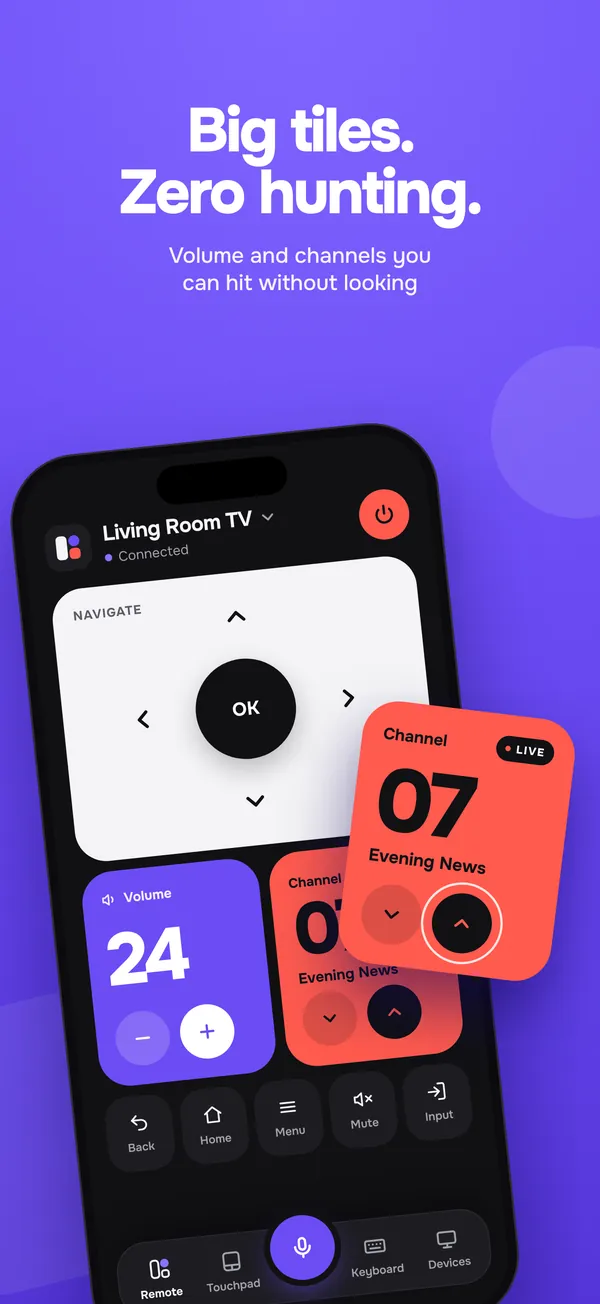
Big tiles, zero hunting.
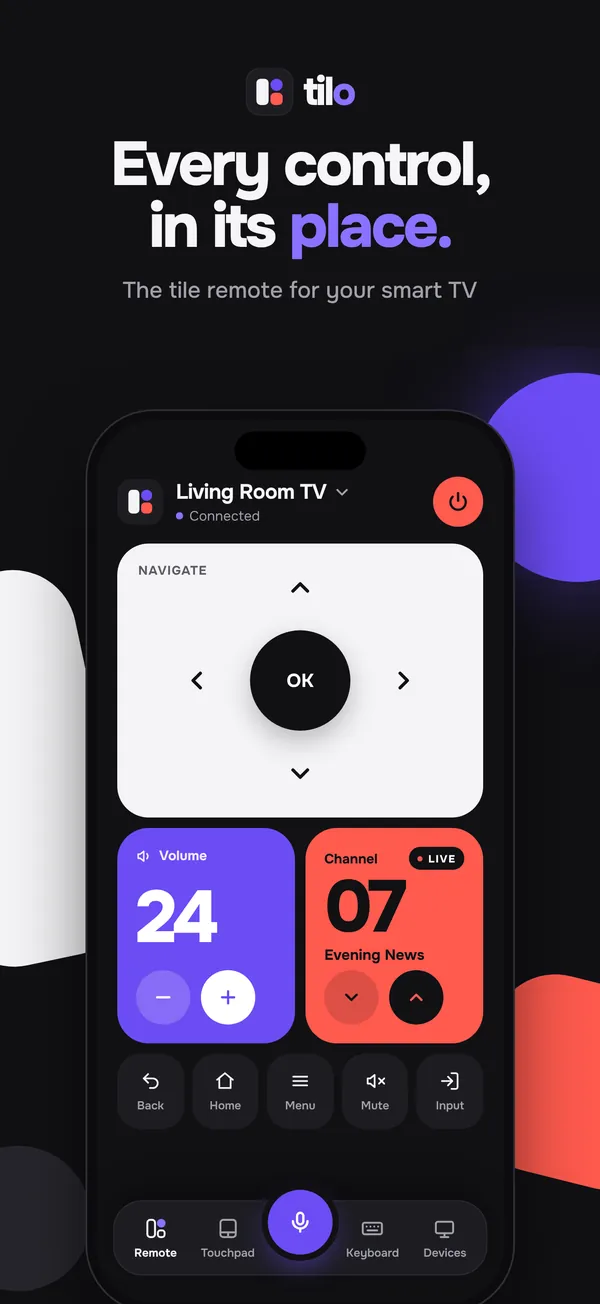
A D‑pad with a real OK button, volume and channel tiles you can hit without looking, and Power, Back, Home, Menu, Mute and Input sources one tap away.
The tile-based remote for every smart TV. Tilo turns your iPhone into a Wi‑Fi remote with big tiles for navigation, volume and channels, plus a touchpad, a keyboard and voice.
Works with
Works with
Tilo talks to your TV the way its own apps do, straight over your home Wi‑Fi. No cables, no infrared, no account.
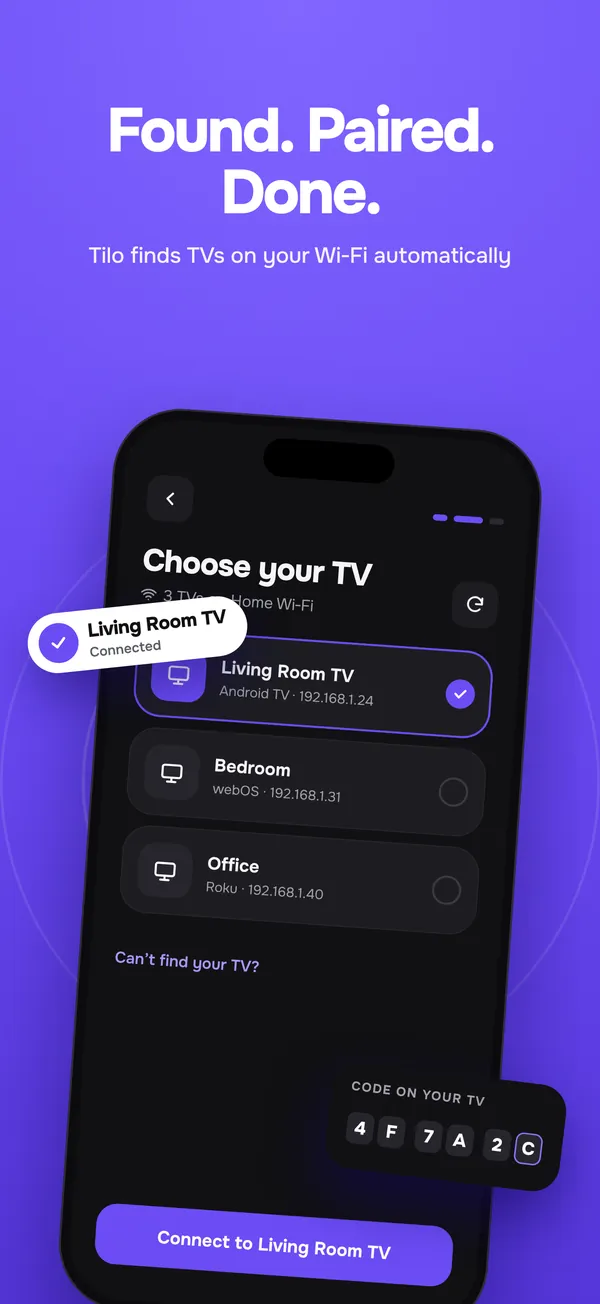
Android TV and Google TV. The TV shows a short code; type it into Tilo once.
LG smart TVs. Choose Allow in the prompt on your TV and you are paired.
Samsung smart TVs. Allow the connection on your TV the first time.
Roku TVs and players. Tilo connects right away, nothing to confirm.
Models and software versions vary, so a few features (like the touchpad or the live volume number) depend on what your TV supports.
Features
Everything a remote does, laid out so your thumb finds it without looking.
A D‑pad with a real OK button, volume and channel tiles you can hit without looking, and Power, Back, Home, Menu, Mute and Input sources one tap away.
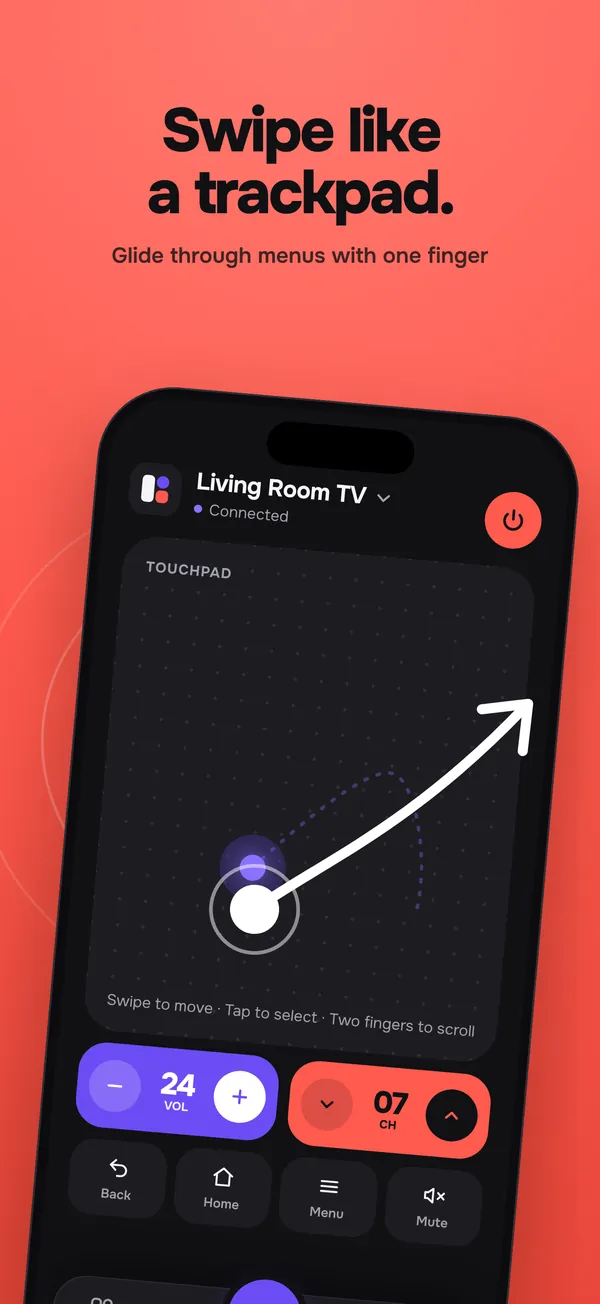
Glide through menus with one finger. Tap to select, two fingers to scroll.
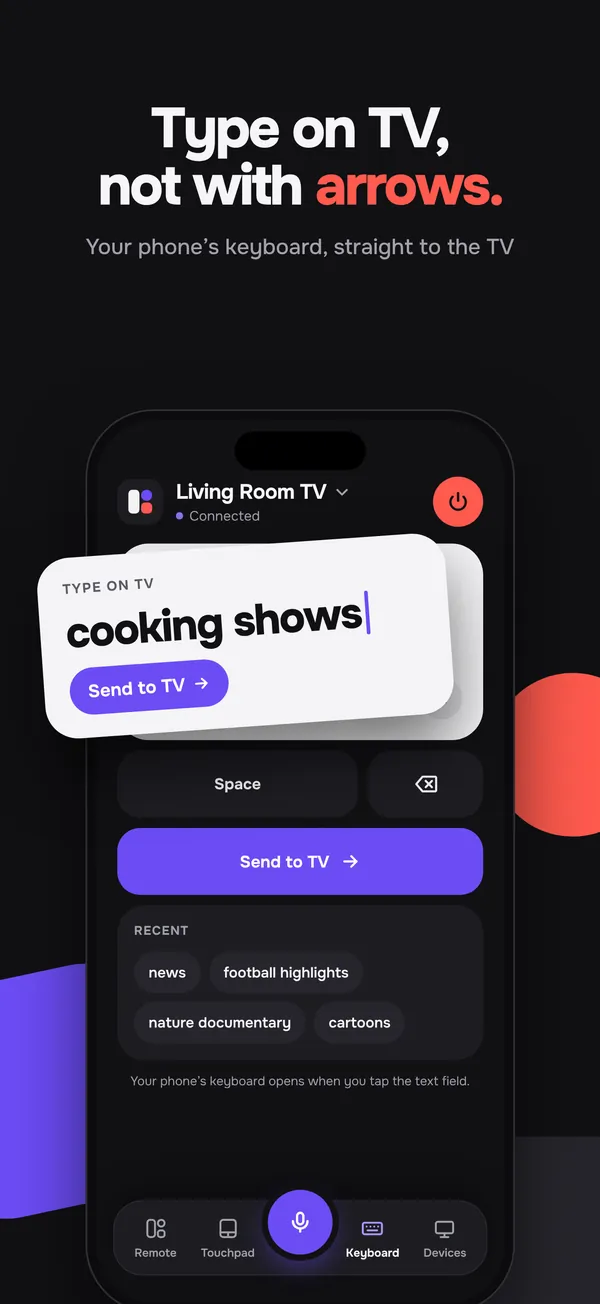
Type on TV, not with arrows. Your iPhone keyboard goes straight to the search box.
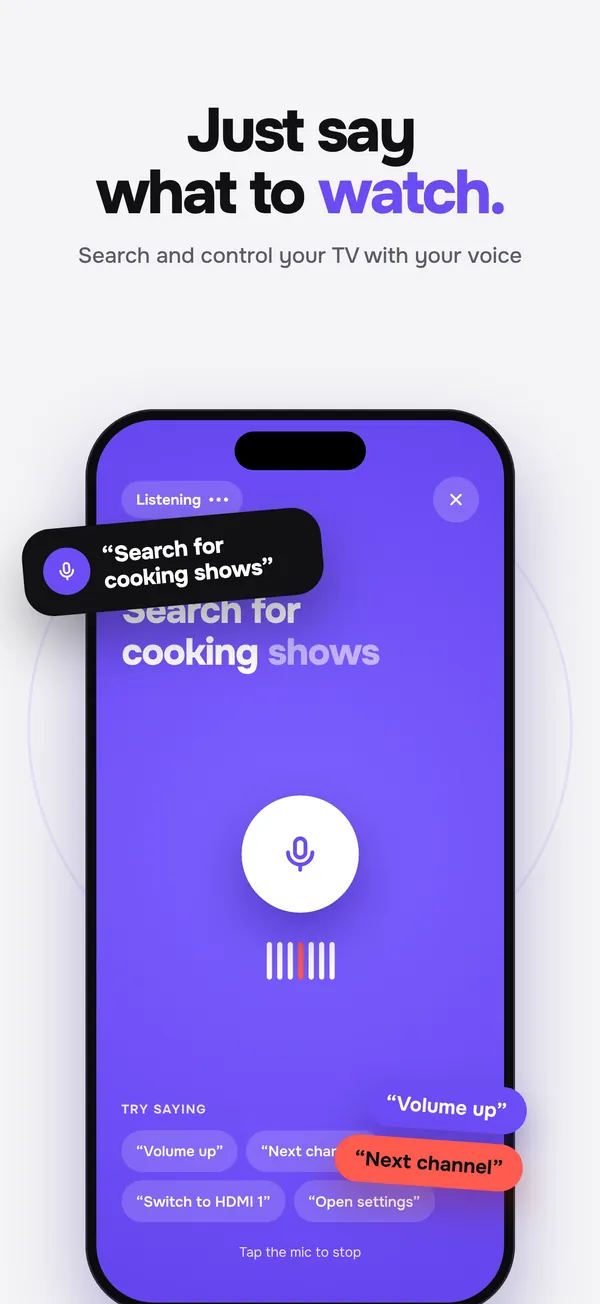
Say “volume up” or what you want to watch. Recognised on your iPhone.
Tilo looks for TVs on your Wi‑Fi as soon as you open it. Not showing up? Enter its IP address instead.
Your iPhone talks to the TV directly. Key presses, typed text and voice never pass through our servers.
While the remote is open, your iPhone’s own volume buttons turn the TV up and down. You can switch it off in Settings.
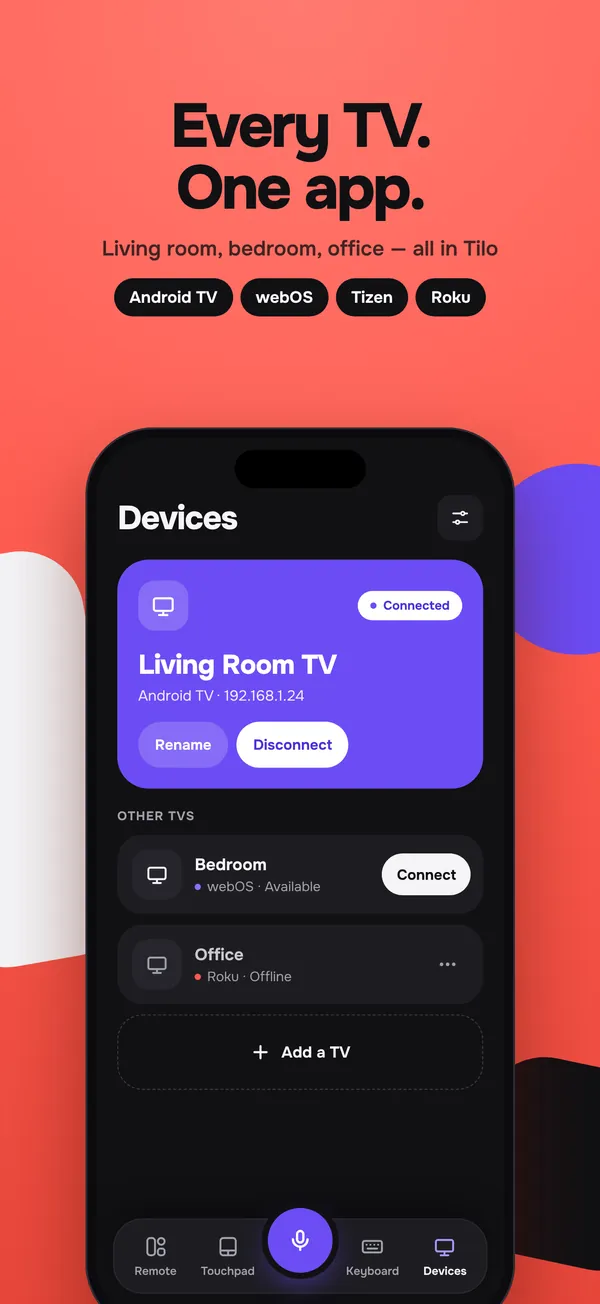
Save the living room, the bedroom and the office, and switch between them from the header. Free keeps one TV; Pro keeps them all.
Screenshots
The screens as they will appear on the App Store. Scroll sideways.
Tilo Pro
Start free with one TV. Upgrade when you want the touchpad, keyboard, voice and every TV in the house.
Everything you need to control one TV.
3-day free trial, then $19.99 a year. Works out to about $1.67 a month.
Billed monthly. No trial.
Prices are in US dollars; the App Store shows the price for your country before you buy. Subscriptions renew automatically unless you cancel at least 24 hours before the period ends, in your Apple ID’s subscription settings. Got a Tilo code? Redeem it in Settings. See the Terms.
Smart TVs and players running Android TV or Google TV, LG webOS, Samsung Tizen and Roku. Many TVs from other brands run Google TV or Android TV and connect that way. Fire TV, other platforms and TVs without a network connection are not supported. Because models and software differ, we can’t promise every feature on every TV.
Pairing happens once per TV, and its pairing key stays in your iPhone’s Keychain.
Yes. Tilo controls the TV over your home network, so your iPhone and TV have to be on the same Wi‑Fi. iOS asks for Local Network access the first time; Tilo needs it to find and talk to your TV. Some guest networks and routers that isolate devices stop them from seeing each other.
Make sure the TV is on and connected to the same Wi‑Fi, and that Local Network access is on for Tilo in iOS Settings. Still nothing? Tap Enter IP address instead and type the address from your TV’s network settings.
Tilo can turn your TV off. Turning it back on depends on the TV: some can be woken over the network, others switch their Wi‑Fi off in standby and need their own remote or button.
No. Voice is recognised on your iPhone with Apple’s on-device speech recognition. Simple commands like “volume up” become key presses; anything else goes to your TV as a search. The audio and the words are never sent to us.
Free gives you the full tiles remote, input sources, discovery and pairing for one saved TV, and may show full-screen ads when you move between sections of the app, never during setup or pairing and never when you press a remote button. Tilo Pro adds the touchpad, keyboard, voice, unlimited TVs and no ads, for $19.99 a year with a 3-day free trial or $4.99 a month.
Very little. There is no account and no sign-in; Tilo uses an anonymous ID. TV control stays on your Wi‑Fi, and what you type or say is never logged. Details are in the Privacy Policy.
Tilo is coming soon to the App Store for iPhone. An Android version is planned after the iPhone release.
Tilo is on its way to iPhone. Until then, read how we handle your data, or get in touch.