
Tropfen for iOS
Learn a language from what you watch and read.
Catch a sentence on screen, save the words that matter, and make a small daily habit of learning.
APP GALLERY
Designed for real-world language learning
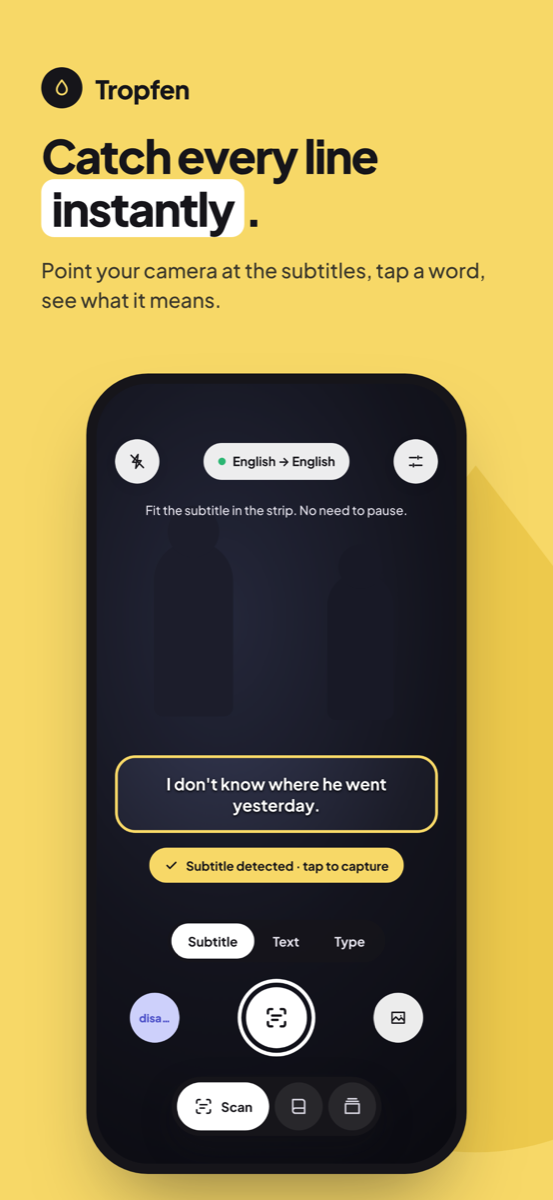
Instant Camera Scan
Scan text from books, menus, or subtitles
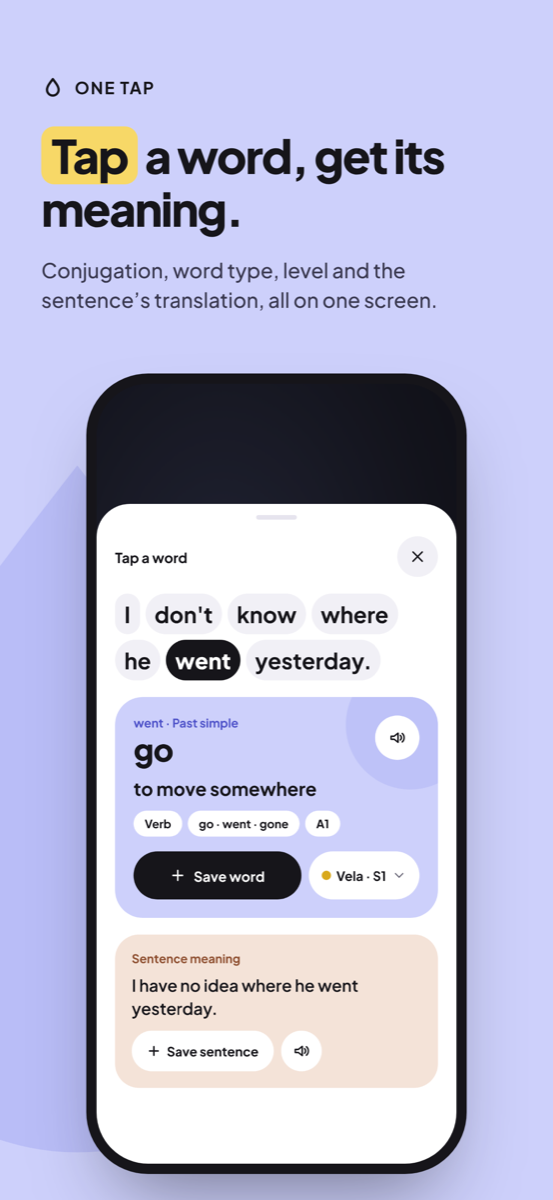 Interactive Subtitles
Translate full sentences instantly
Interactive Subtitles
Translate full sentences instantly
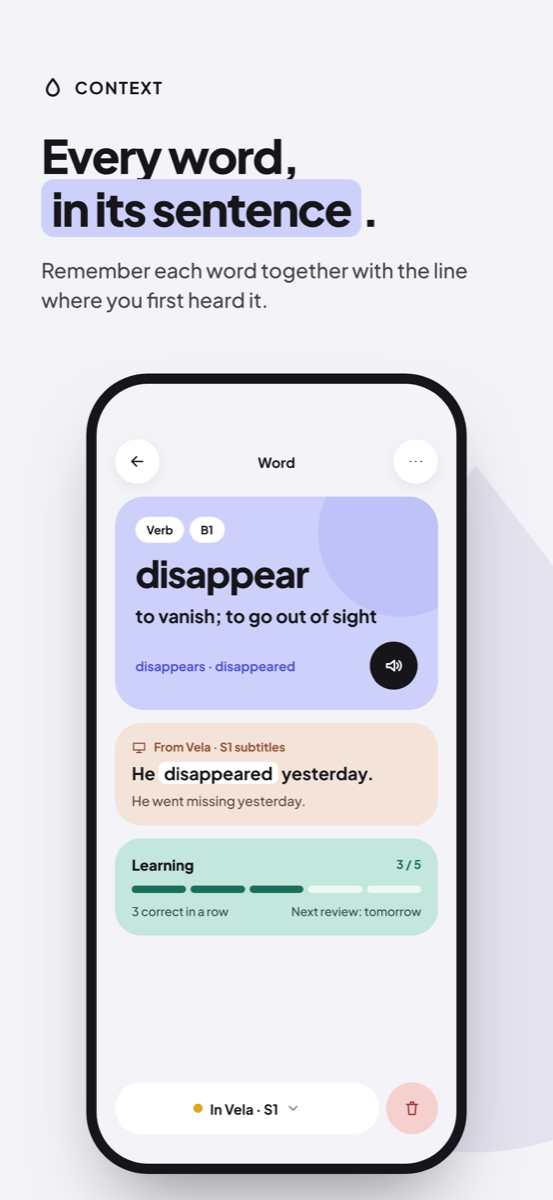
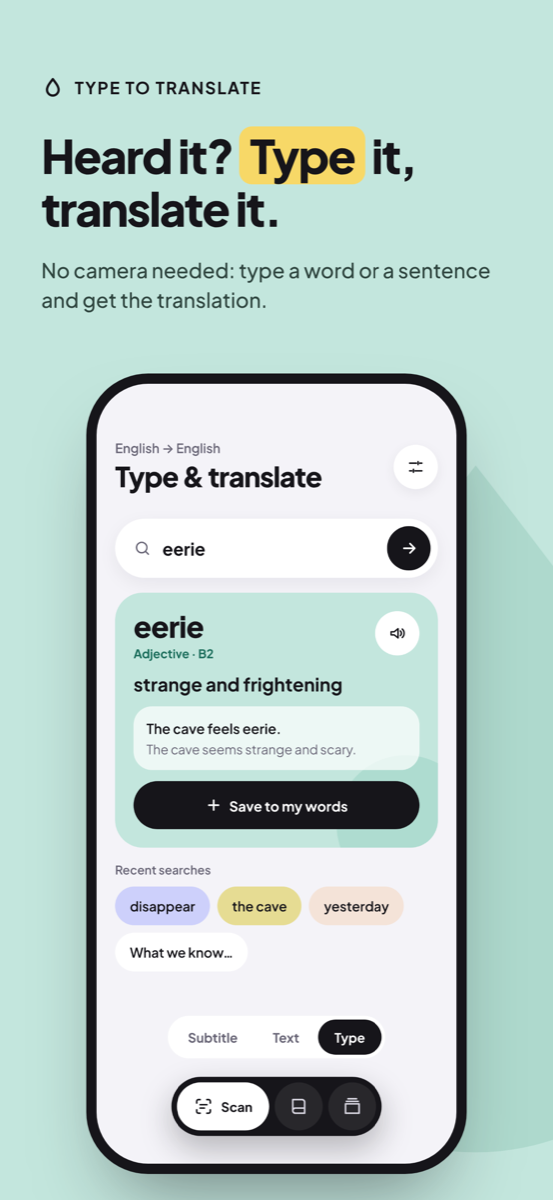 Contextual Word Cards
Save words with the exact source sentence
Contextual Word Cards
Save words with the exact source sentence
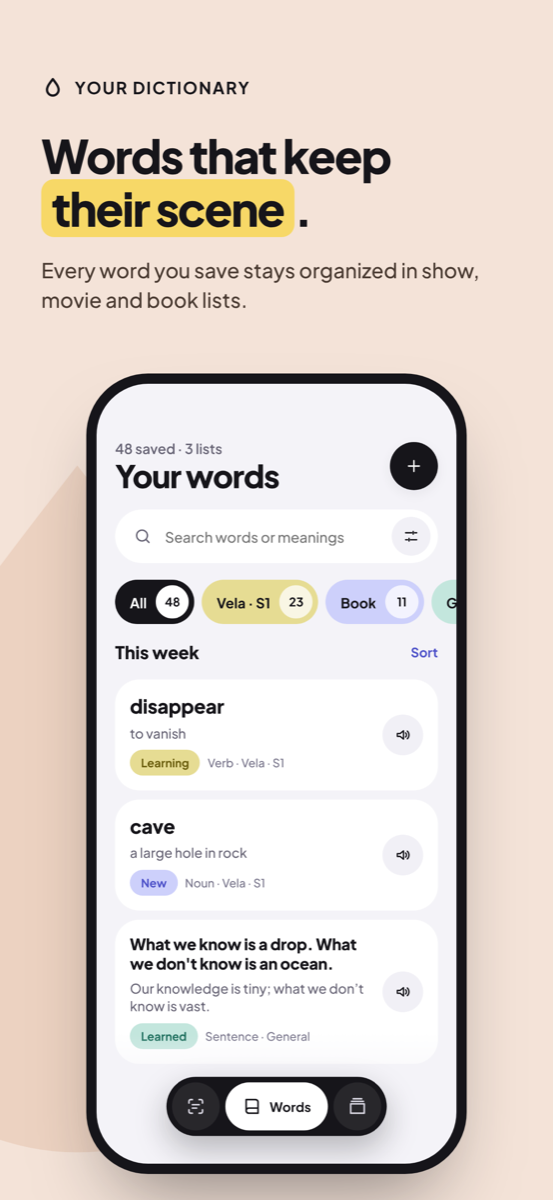 Organized Lists
Group vocabulary by books, shows, or topics
Organized Lists
Group vocabulary by books, shows, or topics
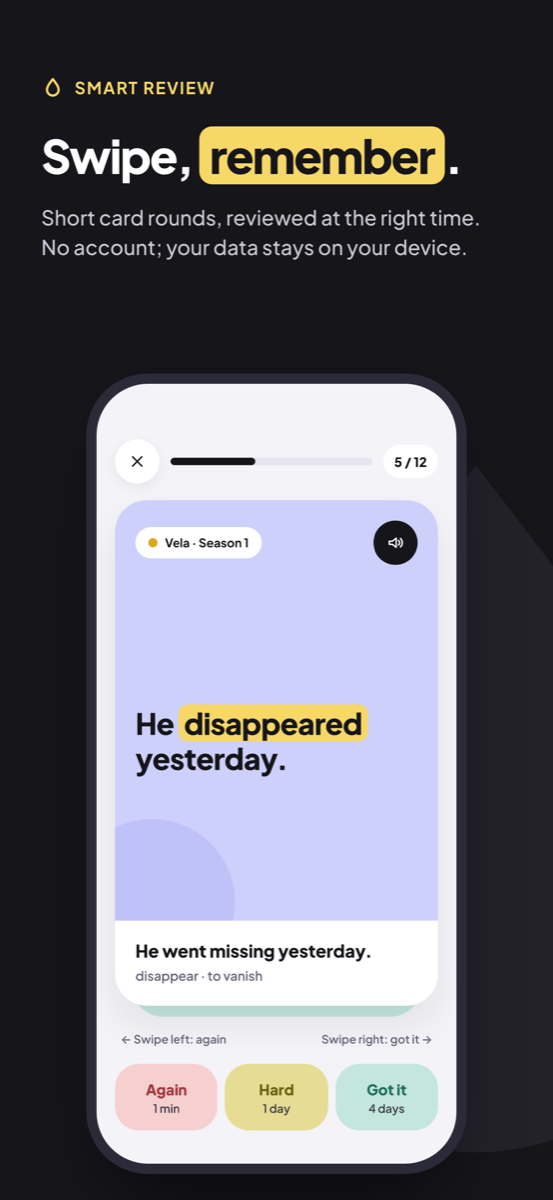
 Spaced Repetition SRS
Practice flashcards at optimal intervals
Spaced Repetition SRS
Practice flashcards at optimal intervals
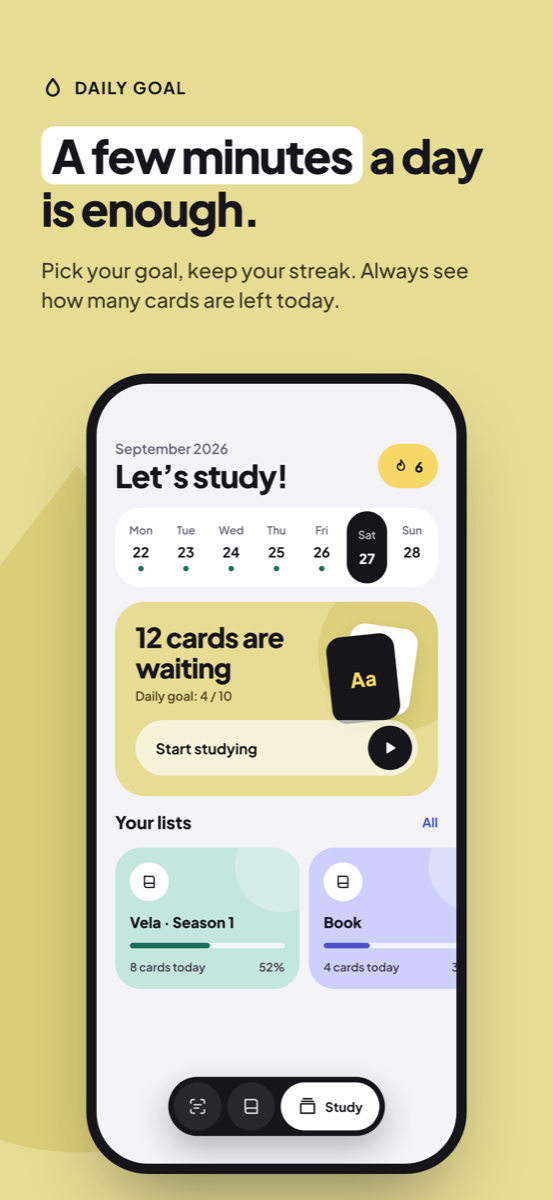 Daily Streak & Analytics
Track total saved words and practice history
Daily Streak & Analytics
Track total saved words and practice history
 Custom Reminders
Build a small, consistent daily habit
Custom Reminders
Build a small, consistent daily habit
Point your camera at any text or subtitle.
Whether you’re watching a movie, reading a novel, or exploring a new city, Tropfen’s camera scan recognizes sentences instantly and gives you accurate context-aware translations.
Keep the words with the story where you found them.
Don't learn isolated words from random lists. Tropfen stores each word with the full sentence, natural audio pronunciation, and your own personal notes.
Remember forever with intelligent spaced repetition.
Tropfen schedules card reviews based on proven cognitive algorithms (SuperMemo-2 / FSRS). Practice just a few minutes each day to move words into your long-term memory.
TROPFEN PRO
Unlock your full potential
Upgrade to Tropfen Pro for unlimited camera translations, custom vocabulary lists, smart review scheduling, verb conjugation tables, and seamless iCloud sync across all your devices.
Try Tropfen ProFrequently Asked Questions
Is Tropfen free to use?
Yes! Tropfen offers a generous free tier that includes camera scanning, manual word saves, and basic spaced repetition practice. Tropfen Pro unlocks unlimited lookups, advanced statistics, and cloud backup.
Which languages are supported?
Tropfen supports translations between over 40 major world languages including German, French, Spanish, Italian, Japanese, Korean, Chinese, Turkish, English, and more.
Does camera text recognition require an internet connection?
On-device OCR runs locally using Apple's Vision framework, so text recognition works completely offline. Cloud translations require internet access to process context-aware definitions.
How does spaced repetition (SRS) work in Tropfen?
Tropfen tracks your self-assessed recall difficulty for each card and calculates the optimal time for your next review, ensuring maximum memory retention with minimal study time.
How do I cancel or manage my subscription?
Subscriptions are managed securely through your Apple ID settings on iOS. You can modify or cancel your subscription at any time.